iPhone App
Vellore is a watch collection app for iPhone.
For anyone who owns more than a couple of watches and wants to know which ones actually get worn. Logging a wear takes one tap, from the app or straight off your home screen. Over a few months that builds a real picture of your rotation, which is rarely the one you'd have guessed. iPhone only, on iOS 17 or later.
Free Features
Everything a Collector Needs
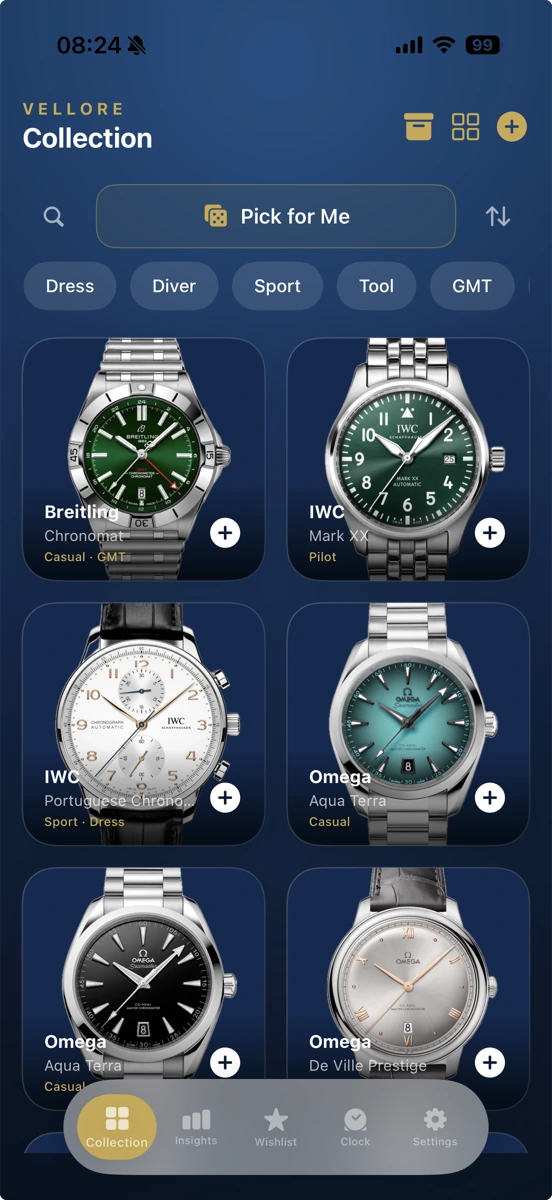
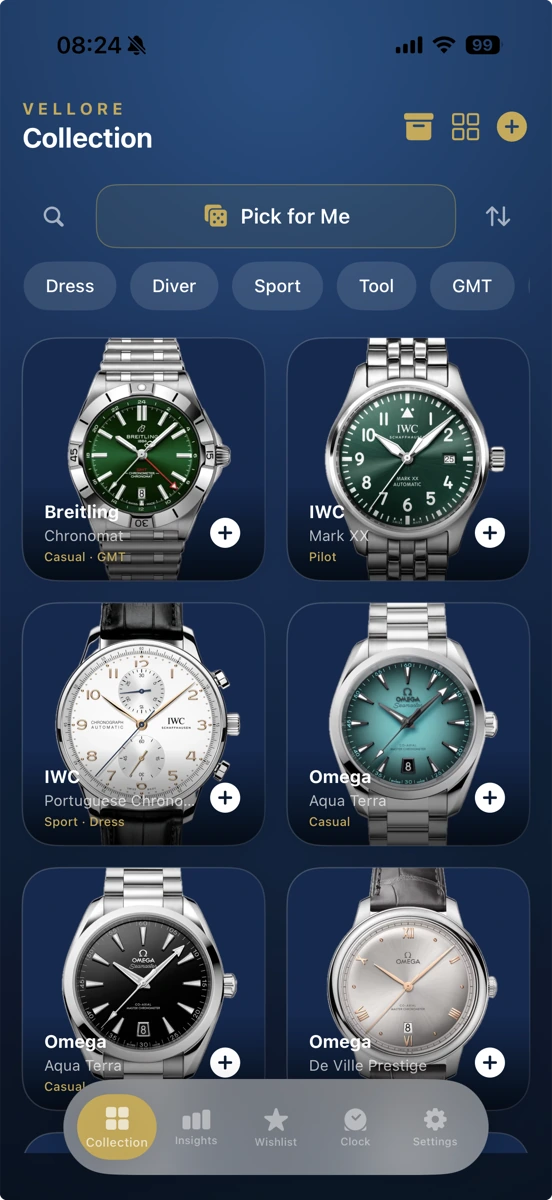
Watch Collection
Add watches with photos, brand, model and reference number, and tag them with custom colors.
Wear Logging
Log a wear from inside the app, a home screen widget, or a Shortcut with Siri. You never have to open Vellore to log one.
Wishlist
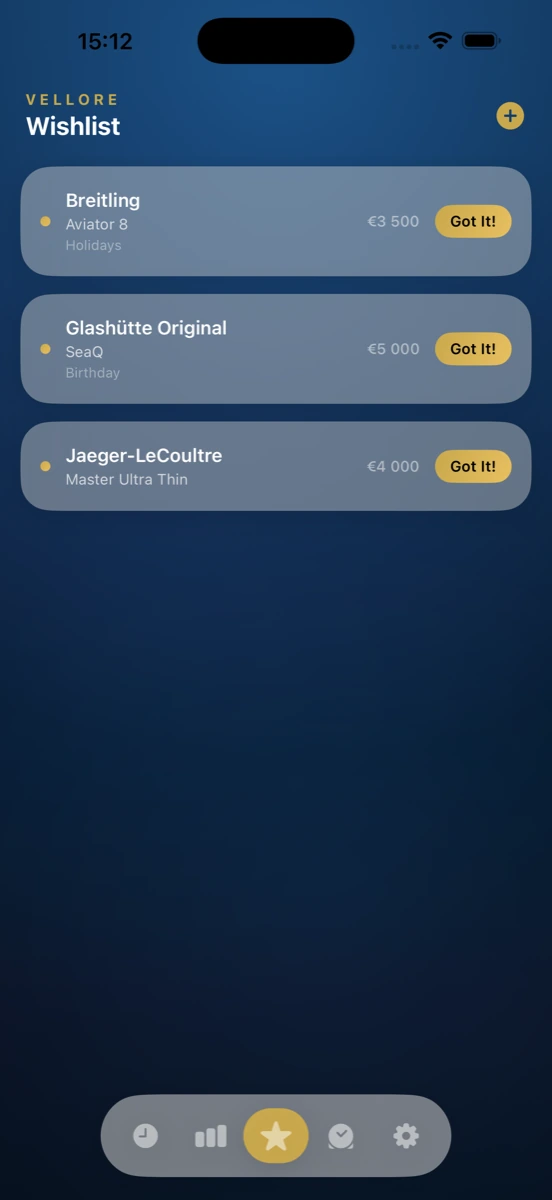
Track watches you want with prices and occasions, then move one straight into your collection the day you get it.
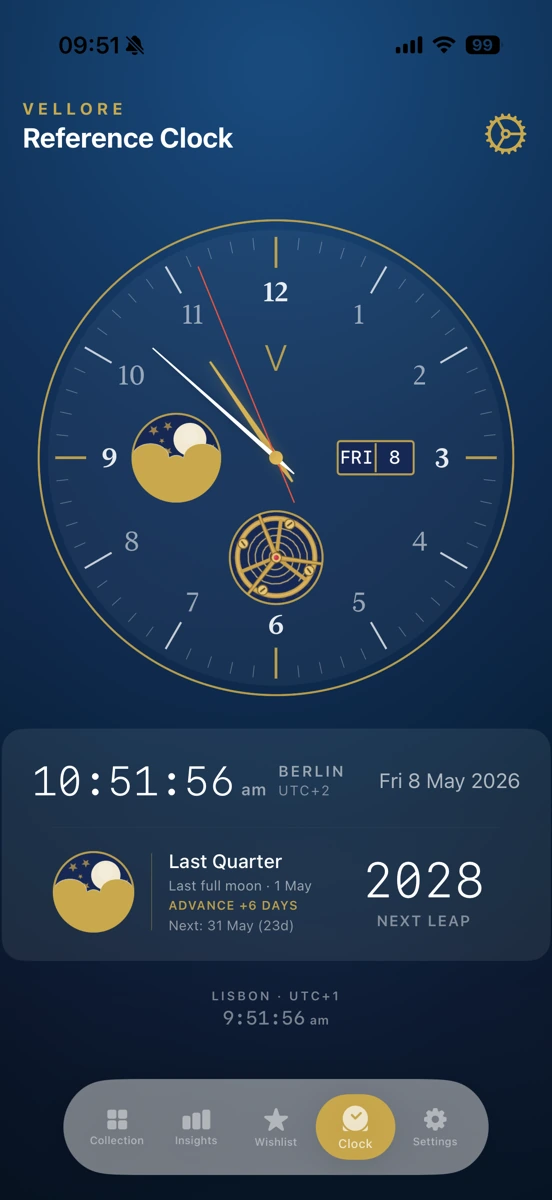
Reference Clock
An analog clock face with moon phase, a second time zone, and the date.
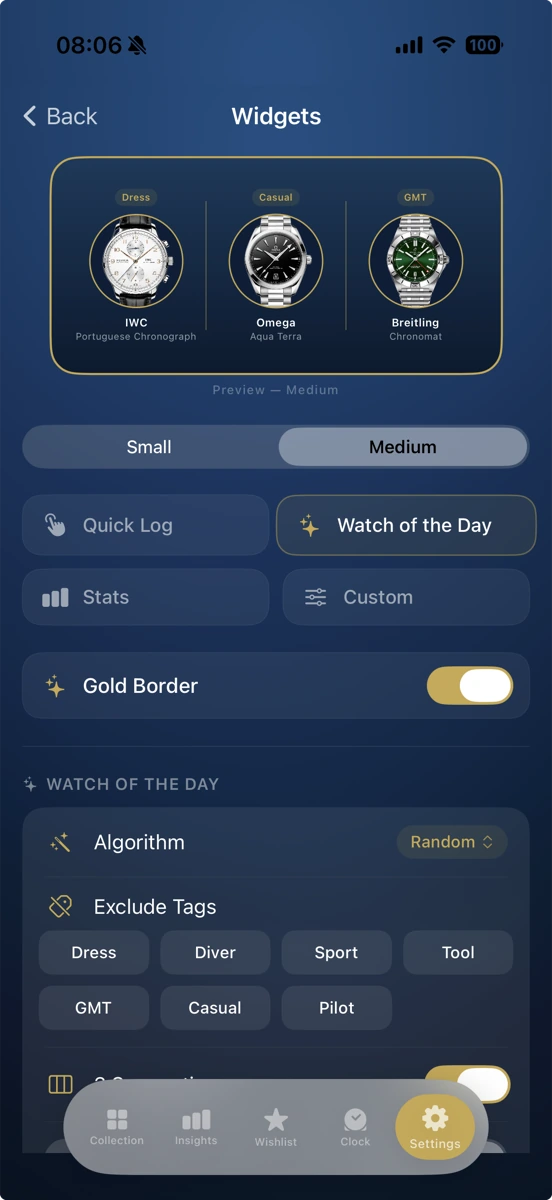
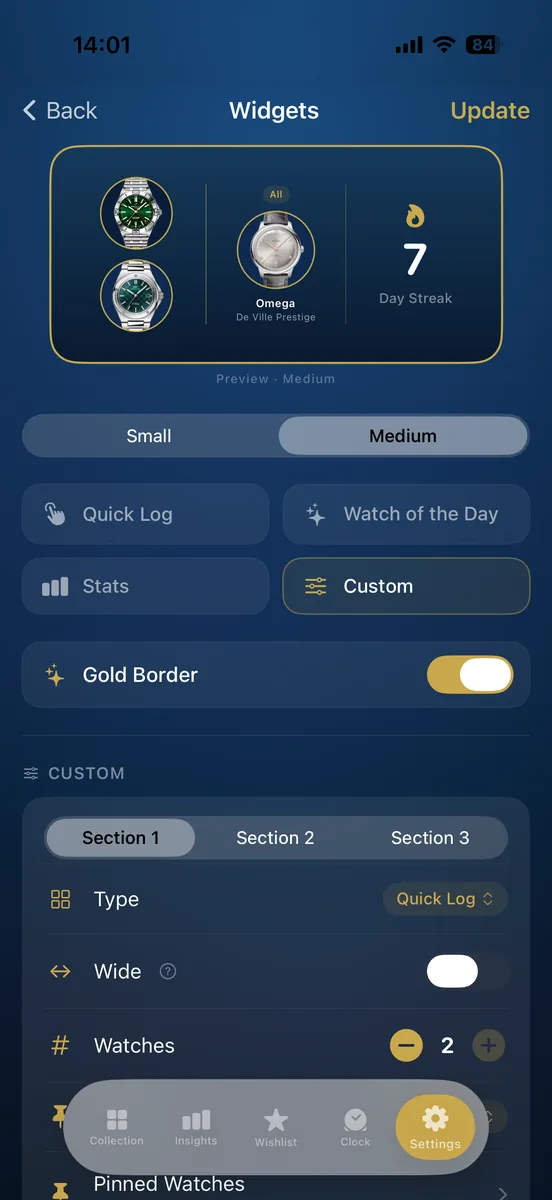
Home Screen Widgets
Quick Log, Watch of the Day, Collection Stats, and a fully Custom widget, all gold-accented.
iCloud Sync
Your watches, wear history, service records, photos and wishlist sync automatically through your own iCloud account. No Vellore account involved.
CSV Import
Bring in an existing spreadsheet with automatic header mapping instead of retyping everything by hand.
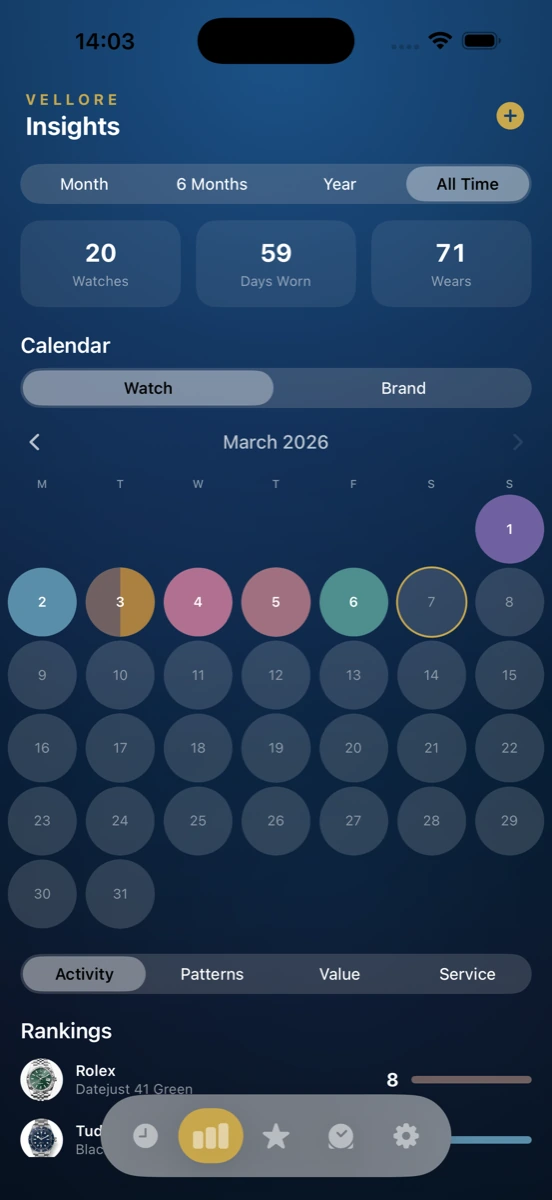
Wear Calendar
One month at a time, with each day colored by the watch you wore that day.
Straps
Keep a list of your straps with lug width, material and color, and record which watch each one is on.
Reminders
Alerts for a service coming due, a battery due, a warranty expiring, a watch sitting unworn past your threshold, and a daily nudge to log a wear.
Share Cards
14 card types, including collection grids, head-to-head comparisons, monthly recaps, rankings, and a Year in Watches set.
Archive
Archive a watch as sold, lost, traded or gifted, and keep its record in your collection history.
Screenshots
See It in Action
What People Use It For
Things You Can Actually Do
Log a wear in two taps, from a home screen widget or a Shortcut, without opening the app.
Get a nudge when a watch has gone unworn past whatever threshold you set.
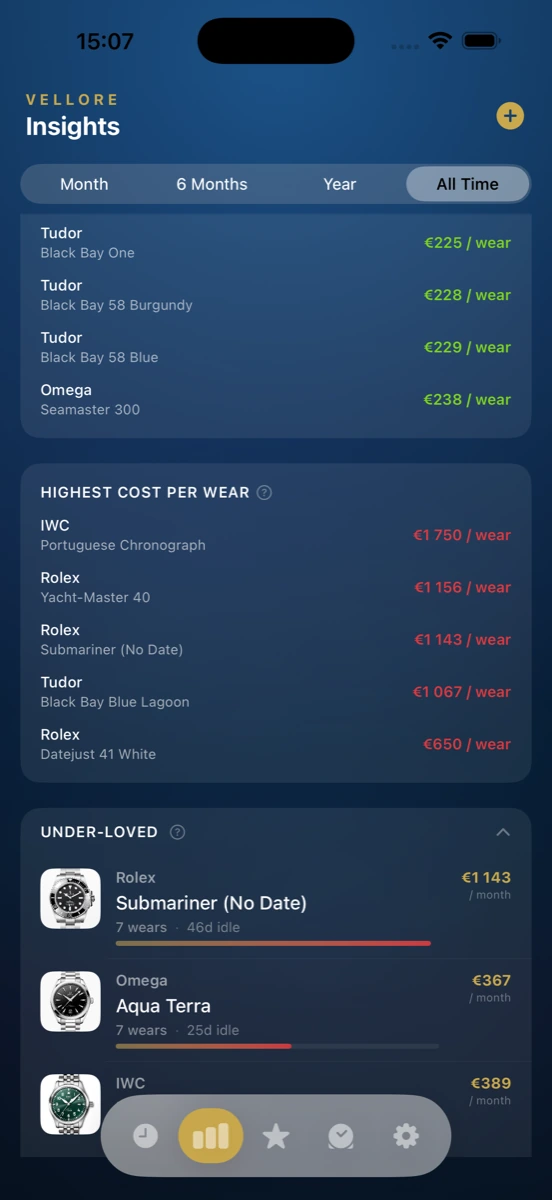
Work out what a watch has actually cost you per wear, not just what you paid for it.
Track a wishlist watch with its price and the occasion you're buying it for, then move it into your collection the day it arrives.
Build an insurance-ready PDF of the whole collection, gallery photos included, for a claim or a policy renewal.
Check the moon phase and a second time zone on the same face as the date.
Ask what to check on a watch before buying it secondhand, and get realistic price bands back.
See what's missing from the collection so the next watch adds something instead of repeating one you own.
Pricing
Free to Start, Two Ways to Go Further
Vellore Pro and Vellore Pro AI are separate purchases. Buy one, both, or neither, the core collection features stay free either way.
Vellore Pro
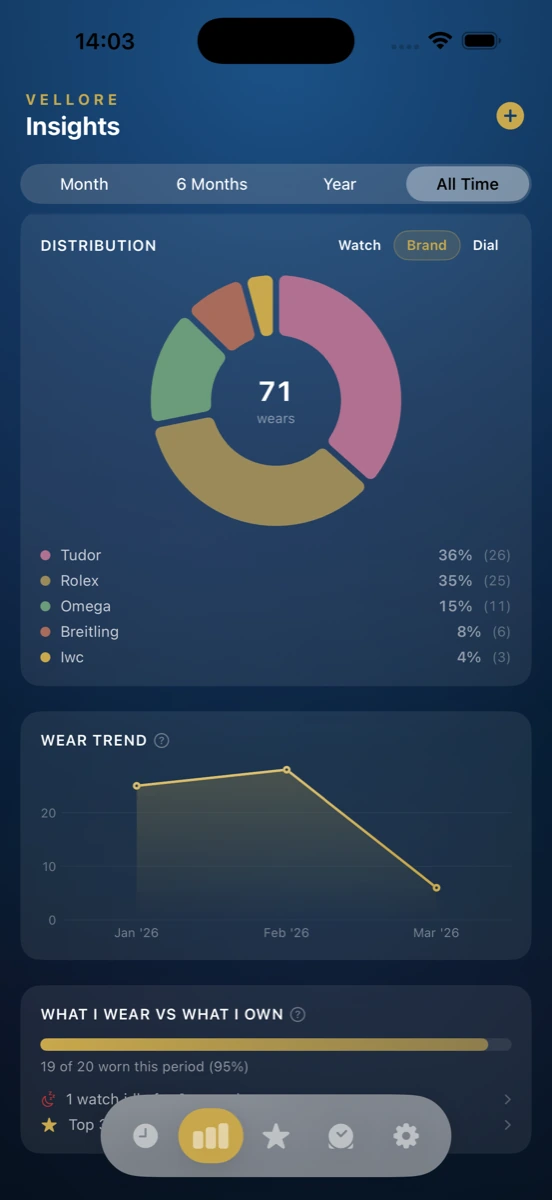
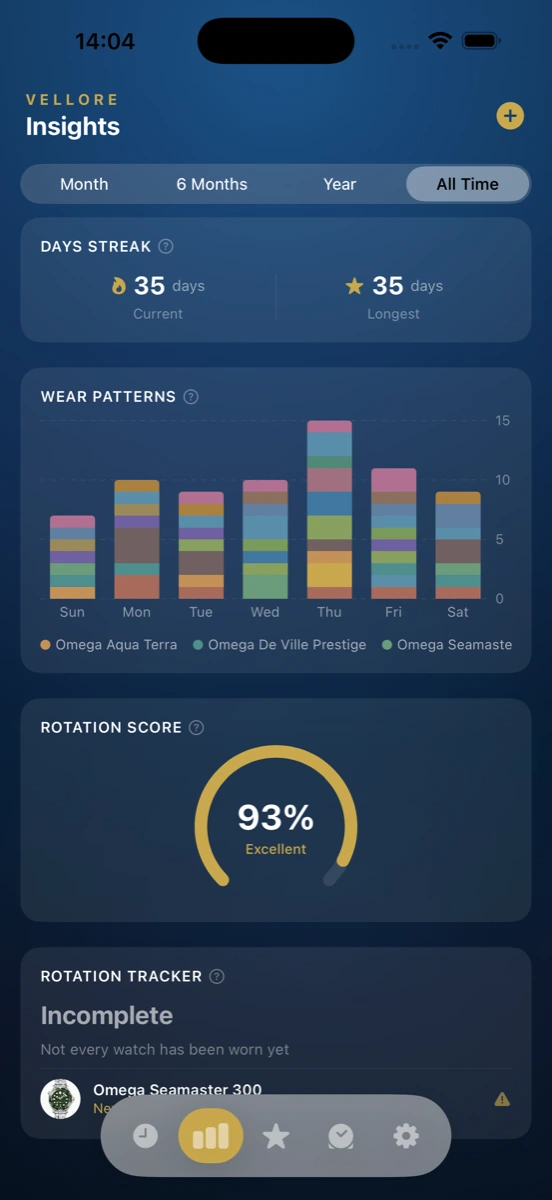
- Advanced wear analytics and rotation insights
- Cost per wear, worked out automatically
- Collection value tracking
- Service and maintenance tracking
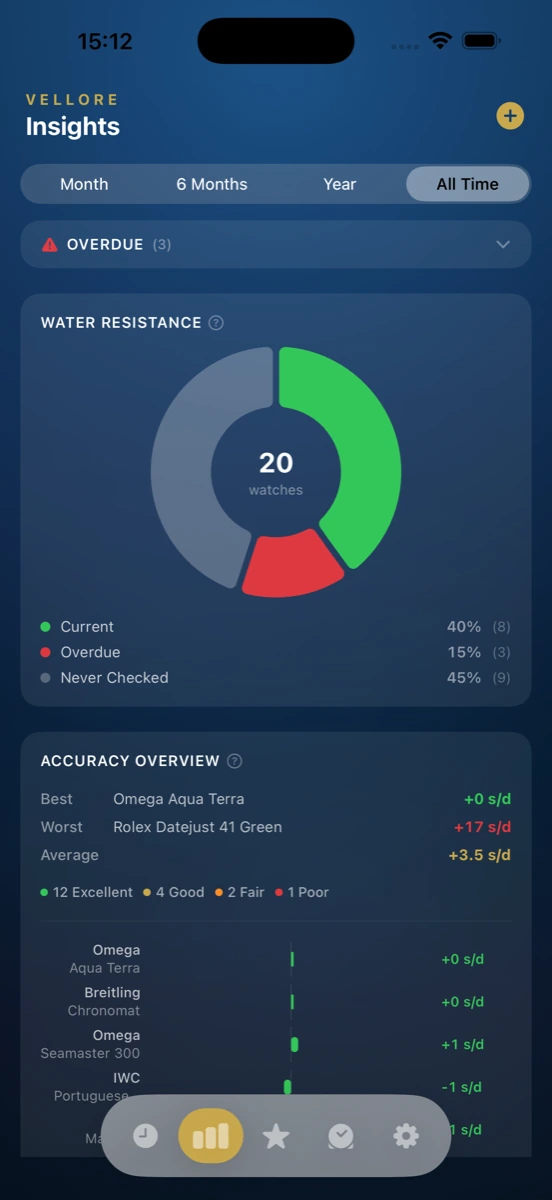
- The Timegrapher accuracy tool
- Water resistance logs
- Battery and capacitor alerts
- Box Check, a needs-attention card for your collection
- Full export: PDF with gallery photos, CSV, and insurance-ready reports
One-time purchase, yours for good
No trial. Buying Pro also gives you 50 AI tokens to try Vellore Pro AI.
Get Vellore ProVellore Pro AI
- Style Me: photograph an outfit, get the watches that go with it
- Strap Stylist: the best strap pairing from the straps you own
- Wrist to Wardrobe: what to wear with a given watch
- What's Missing: gaps in your collection
- Health Check: a condition assessment across your collection
- Declutter Advisor: keep-or-sell reasoning for watches you're unsure about
- Curator's Note: a written piece about your collection
- Wishlist Advisor: flags wishlist items that repeat what you already own
- Populate Specs: fills in a spec sheet from brand, model and reference
- Market Value: a current resale estimate with a range
- The Loupe: a pre-purchase briefing: what commonly goes wrong, what to check, price bands, what to ask the seller
Or $19.99 a year, both with 100 tokens a month
Tokens don't carry over, and top-ups start at $1.99. The 7-day free trial is on the yearly plan. Includes everything in Pro.
Try Vellore Pro AIVellore vs. a Spreadsheet
Is This Better Than Excel?
Plenty of collectors track their watches in Excel or Notes, and for a short list that's a reasonable way to do it. A spreadsheet is genuinely fine if all you want is a table of what you paid and when. It won't log a wear for you, prompt you when service is due, or work out cost per wear automatically as you use it, and it turns into a mess of file paths the moment you try to store photos in it.
A Spreadsheet Handles Fine
- A simple list of watches, purchase prices and dates.
- Sorting and filtering by whatever columns you set up.
- Working on any device with the right app installed.
- Full control over exactly what you choose to track.
What Vellore Adds
- Wear logging in two taps, from the home screen or Siri, without opening a file.
- Cost per wear that recalculates itself every time you log a wear.
- Photos, reminders and iCloud sync, none of which a spreadsheet does on its own.
- 11 AI tools for questions like what a watch is worth or what to wear it with.
FAQ
Common Questions
Yes, almost all of it. Adding watches, logging wears, editing your wishlist, and browsing your collection all work with no connection. Only the AI features, purchases, and iCloud sync itself need the internet.
No. Vellore has no sign-in and never asks for an email address. Your collection belongs to your device and your own iCloud account, not a Vellore account, because one doesn't exist.
Adding watches, wear logging, the wishlist, the reference clock, home screen widgets, CSV import, the wear calendar, reminders and share cards are all free. Vellore Pro is a one-time $12.99 purchase for analytics and tracking tools. A separate subscription, $1.99 a month or $19.99 a year, unlocks the AI features.
There's no iPad app, so there's nothing to sync to. Vellore runs on iPhone only. If you use it on more than one iPhone, your collection syncs between them automatically through your own iCloud account.
Yes. Your collection lives on your device and in your own iCloud, and Vellore has no analytics, advertising or tracking of any kind. The only data that ever leaves your device is whatever a specific AI feature needs to run, sent to Google's Gemini model and not used to train it.
They answer specific questions about your collection: what to wear with an outfit, which strap suits a watch, what's missing from what you own, what a watch might fetch if you sold it, and what to check before buying one secondhand, among others. There are 11 AI tools in total, and each one sends only what that particular request needs.
No. Vellore is iPhone only, built for iOS 17 and later. There's no Android version and no plans to build one, so if you're not on iPhone, Vellore isn't for you yet.
A spreadsheet is genuinely fine for a short list of watches and what you paid for them, and plenty of collectors use one. Vellore adds automatic iCloud sync, wear logging in two taps from your home screen, photo storage, reminders, and cost-per-wear math that updates itself instead of a formula you maintain.
Only on the yearly Vellore Pro AI subscription, and only for 7 days. After that it renews at $19.99 a year unless you cancel first. The monthly AI plan has no trial, and Vellore Pro is a one-time purchase, so there's nothing to trial there either.
Email info@vellorewatch.com. We typically respond within 24 hours.
Start Cataloging Your Collection
Vellore is free to download for iPhone. No account, no trial required to start, just add your first watch.